
Enhance your network
Blast Wi-Fi Plus
Enjoy the ultimate Wi-Fi experience at home
Blast Wi-Fi service includes our Blast wireless router plus these additional features:
CommandIQ
The CommandIQ app enables you to see all devices on your network, run speed tests, set up a guest network, pause Wi-Fi, create family profiles, and more.
ProtectIQ
This offers award-winning cybersecurity for all devices connected to your network, blocks attempts to visit harmful sites, and stops hackers and viruses before they ever reach your devices.
ExperienceIQ
Advanced parental controls provide the ability to block inappropriate content or specific applications, establish filtering rules, set Wi-Fi time limits, and choose device prioritization for those that work-from-home.

Blast Wireless Router - $8.00 mo.
- Wi-Fi 6 technology enables blazing fast speeds with whole home coverage and is optimized for today’s smart homes
- Dual Band support – 2.4 GHz and 5 GHz
- Connect more devices simultaneously
- Four Gigabit Ethernet ports to connect wired devices
- Free firmware upgrades and monitoring of your Wi-Fi signal done remotely by our technicians
- Use the free CommandIQ app to change your Wi-Fi password or call our office and we can do it for you!
Blast Lite Wireless Router - $6.00 mo.
- Wi-Fi 6 technology enables blazing fast speeds for the smaller home or apartment and the lighter internet user
- Dual Band support – 2.4 GHz and 5 GHz
- Two Gigabit Ethernet ports to connect wired devices
- Free firmware upgrades and monitoring of your Wi-Fi signal done remotely by our technicians
- Use the free CommandIQ app to change your Wi-Fi password or call our office and we can do it for you!
Blast Mesh - $3.25 mo.
Extend Wi-Fi to those hard-to-reach areas of your home or business.
Features
Blast Wi-Fi Plus includes an app loaded with features
Your Blast wireless router can be controlled with the complimentary CommandIQ app and additional services. Details and download links for the app are below.
CommandIQ
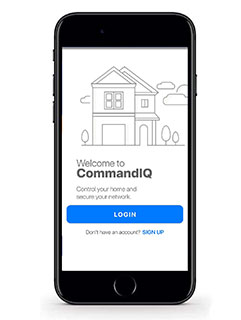
An app that puts you in control of your home Wi-fi network
- See all devices on your network
- Set up a guest network
- Create family profiles
- Pause Wi-Fi or set time limits to certain devices
- Run a bandwidth test
- Change your Wi-Fi network name or password.
ExperienceIQ
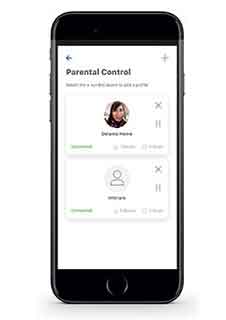
Flexible parental controls to block inappropriate content or specific applications
- Content Filtering – turn on Safe Search and YouTube Restriction
- Time Limits & Restrictions
- Usage Reporting
- Prioritize devices and applications within your home network
ProtectIQ
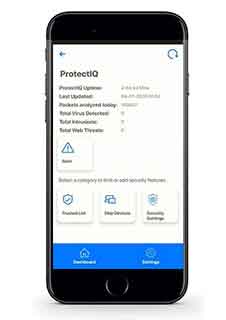
Network level security application
- Protection from malicious online threats
- Block attempts to visit harmful websites
- Anti-virus and anti-ransomware packet inspection
- Prevent activity such as hackers trying to gain access to local video content (doorbells, baby monitors, home security cameras)
- Notification of security issues